Printable Gift Box Template With Your Own Design
· 1 min read
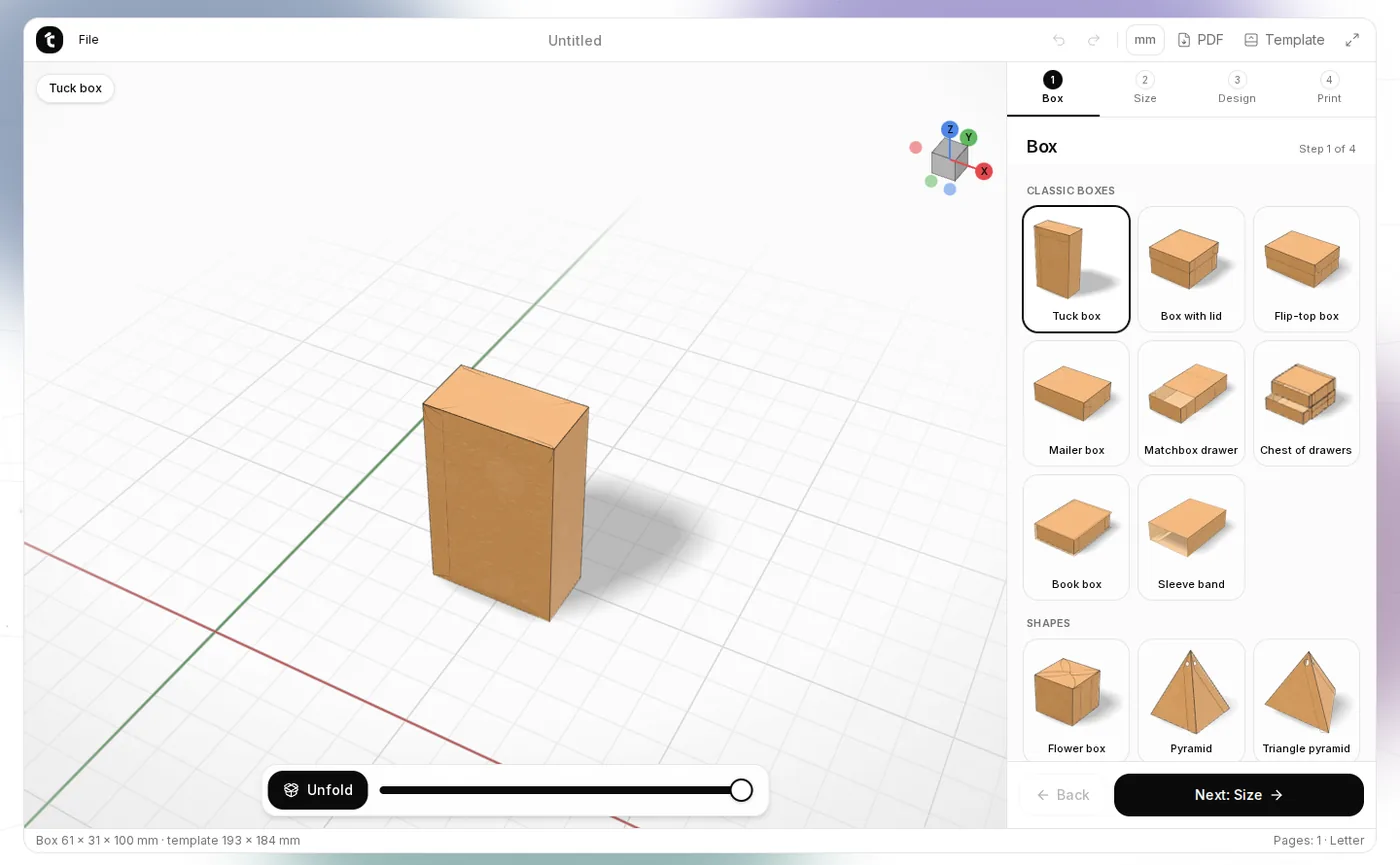
A gift box sized to your present, with your own picture and a message, takes half an hour and one sheet of card. The Gift Box Maker makes the printable template in a couple of minutes.
Step 1. Choose a box
On the Box step, pick one of 29 boxes: tuck box, box with lid, mailer, matchbox drawer, chest of drawers, pyramids, house, gable box with handle, cake slice, bags, envelopes and more. Each has a picture, so you see it right away.
Step 2. Set the size
On the Size step, enter the inside size — what has to fit. Lids are made slightly bigger, by the card thickness. The same step has double walls, a window and ribbon holes.
Step 3. Design
On the Design step, choose a ready theme or your own colours, pattern, your own picture (on the front, on every side or around the box), text in a nice font and a drawn ribbon with a bow. By default the box looks like kraft paper.
Step 4. See it in 3D
The Unfold / Fold buttons and the slider at the bottom show how the flat template folds into the box. Rotate it with the mouse.
Step 5. Print and assemble
Download the PDF and print it at 100 % (not “Fit to page”). Measure the 50 mm line at the bottom of the sheet. Cut along the solid lines, score and fold the dashed ones, then glue.
Tips
- 200–300 gsm card works best; for bags and envelopes, 120–160 gsm paper.
- For Cricut or Silhouette, download the SVG: red cuts, blue scores.
- Your picture and design are never uploaded: everything happens in your browser.