How to Reduce PDF File Size for Email or Upload
· 1 min read
Email won't send attachments over 20–25 MB, and websites often want PDFs under 5 MB or even 1 MB. Scans and documents with photos are the heaviest. Here's how to shrink them.
Step 1. Open the PDF
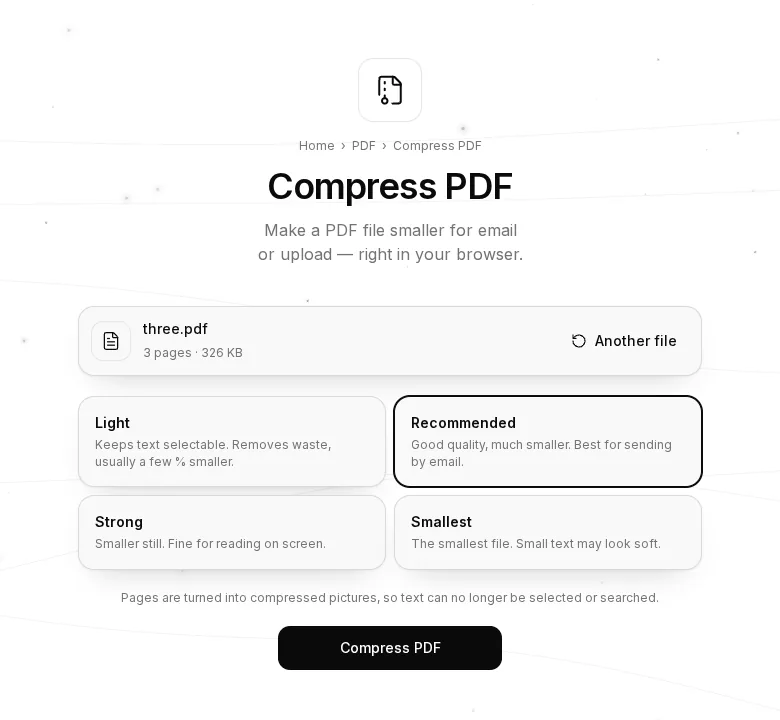
Open Compress PDF and choose or drop your file.
Step 2. Choose a level
- Light — the file is saved more efficiently and text stays selectable. Usually a small saving.
- Recommended — good quality, much smaller file. The best choice for email.
- Strong — smaller still, fine for reading on screen.
- Smallest — the smallest file; small text may look soft.
Step 3. Compress and download
Press “Compress PDF”. A smaller file downloads, and you see how much space you saved.
Why it works
Recommended and the stronger levels redraw each page as a compressed picture, so scans and PDFs with photos often shrink by 50–90 %. The trade-off: text in the result can no longer be selected or copied. If you need that, choose Light.
Tips
- If the result would be bigger than the original, the tool tells you and doesn't download it — your file was already well compressed.
- Only need part of the document? First remove pages with Delete & Reorder Pages or Split PDF.
- Your file is never uploaded: everything is compressed in your browser.